
 POCkit
Ask Pockit
“Can I afford new headphones for ₦8,000?”
Spend withconfidence, not guilt.
Introduction
01 / 15
Pockit is an AI budgeting app for students, young workers and freelancers. It helps people decide what they can spend before they spend it, through a calm coach they can simply talk to.
4 of 5
set up a first budget without help
4 of 5
found their safe spend for the day
5 of 5
logged an expense by voice
In 5 moderated usability sessions, 2026
- Timeline
- 4 weeks
- Platform
- iOS mobile app
- Role
- Product Designer
- Scope
- Research, UX, UI, prototype, testing
The problem
02 / 15
People have the data.They lack the guidance.
Most budgeting tools only record what already happened. Very few help people decide what to do next, so budgeting ends up feeling like a report card.

Food this month
₦10,000
63% of ₦16,000 used
What app reviews said
“Budgeting apps feel made for accountants, not for people like me.”
Paraphrased from app store reviews and finance community threads
What Pockit does instead
A coach, not a spreadsheet.
Plain-language answers
The coach explains spending in simple words and always ends with a next step.
Automatic tracking
Linked accounts sort every expense into a category, so nobody logs by hand.
A calmer interface
Encouraging words, no red alarms, fewer charts to read.
Fewer choices
Pockit drafts the first budget, so people only adjust it.
Product direction
06 / 15
From insightto structure.
The research became four principles. Every screen had to pass all four before it moved to high fidelity.
01
Reduce money anxiety
Calm colours and encouraging words. No red alarms for overspending.
02
Cut manual effort
Linked accounts and AI drafts, so people only confirm.
03
Explain in plain words
Every number comes with what it means and what to do next.
04
Reward consistency
Small wins stay visible, so the habit feels worth keeping.
User flow
Two flows, one calm path.
Onboarding
Start
Income
Bank, optional
Ready
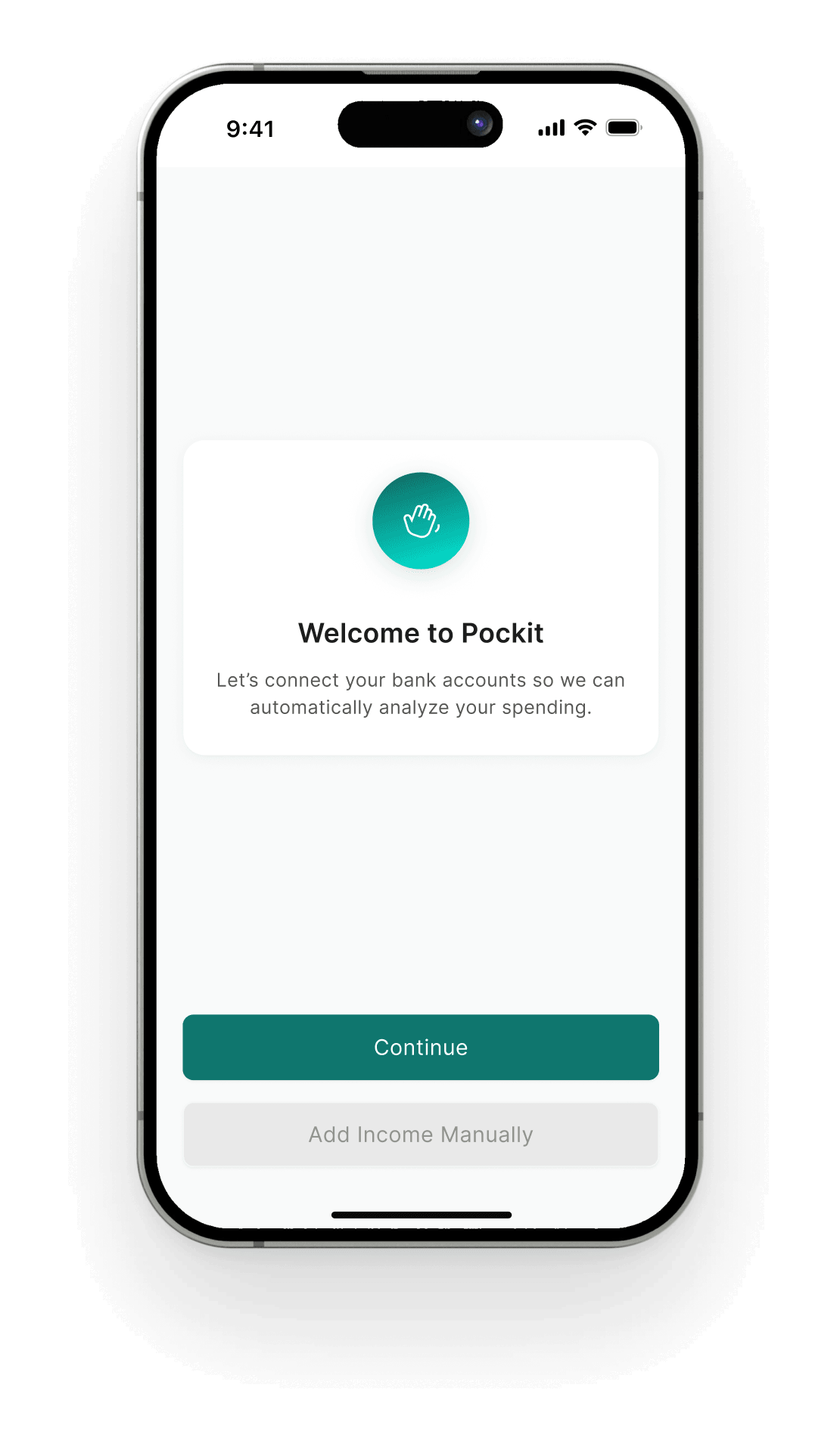
Bank linking can be skipped. People can add income and budgets by hand instead.
Everyday use
Home is the hub. Every everyday task starts there and returns there, so nobody gets lost.
Key decision 02
10 / 15
Less logging,more living.
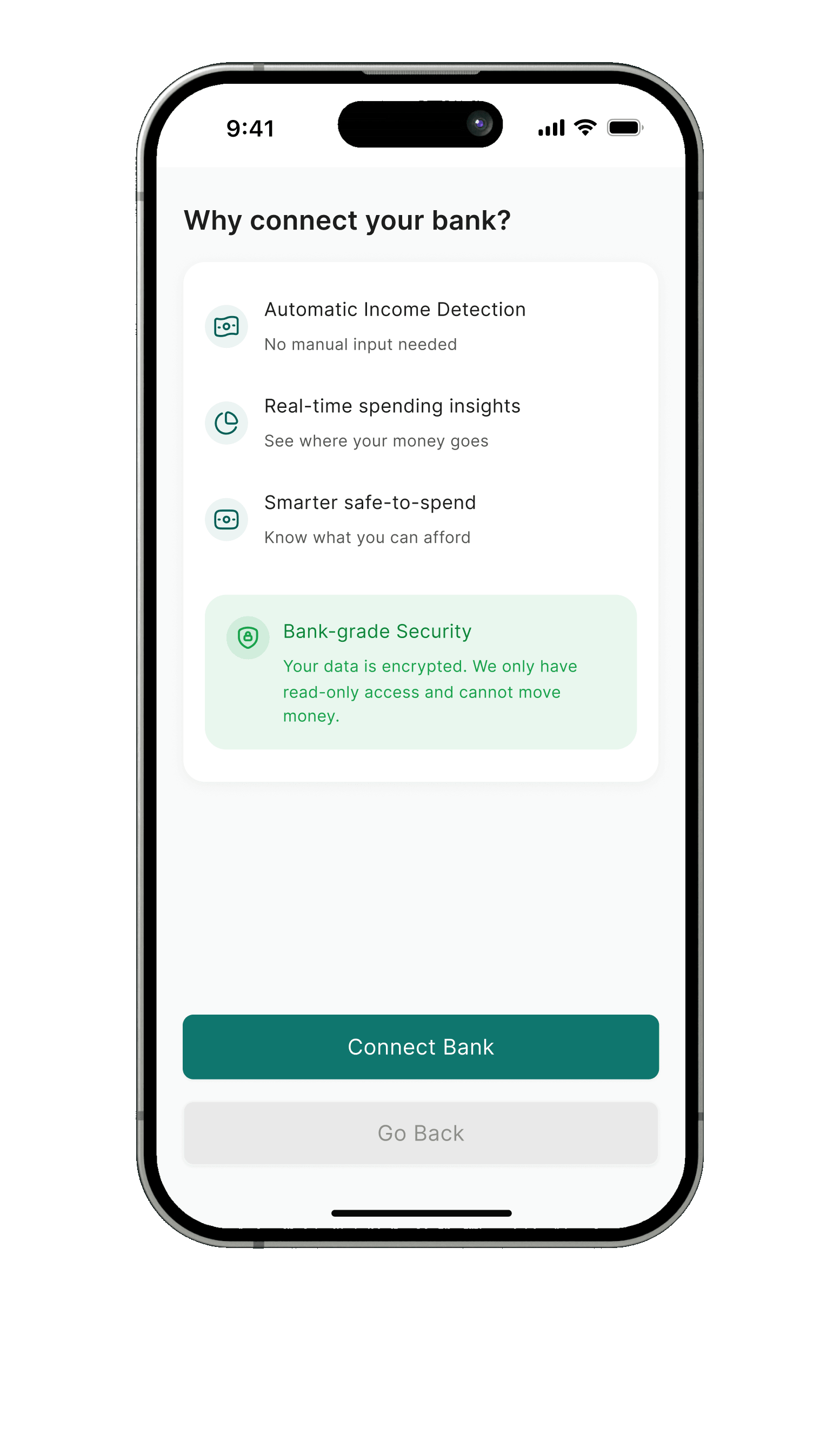
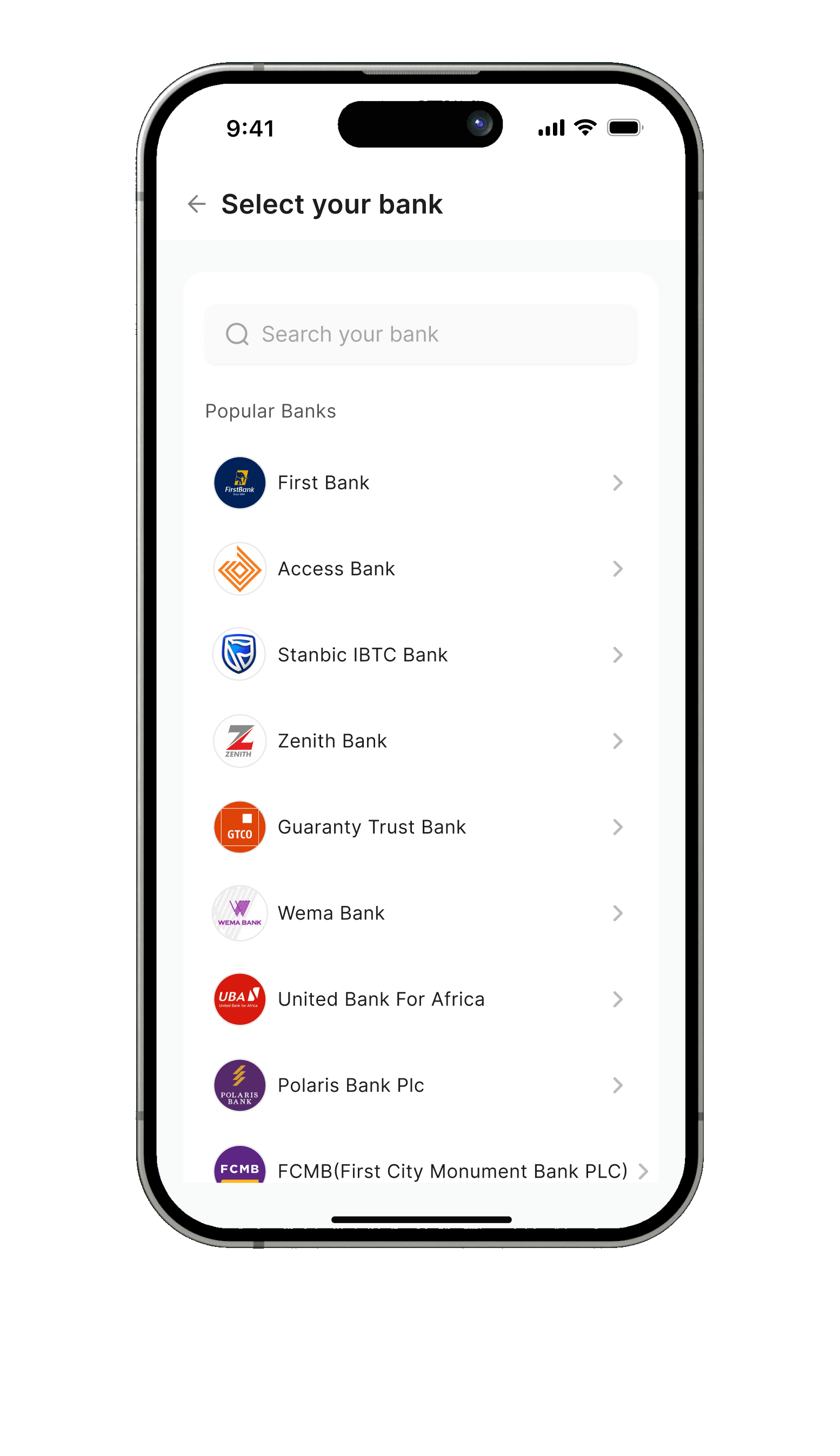
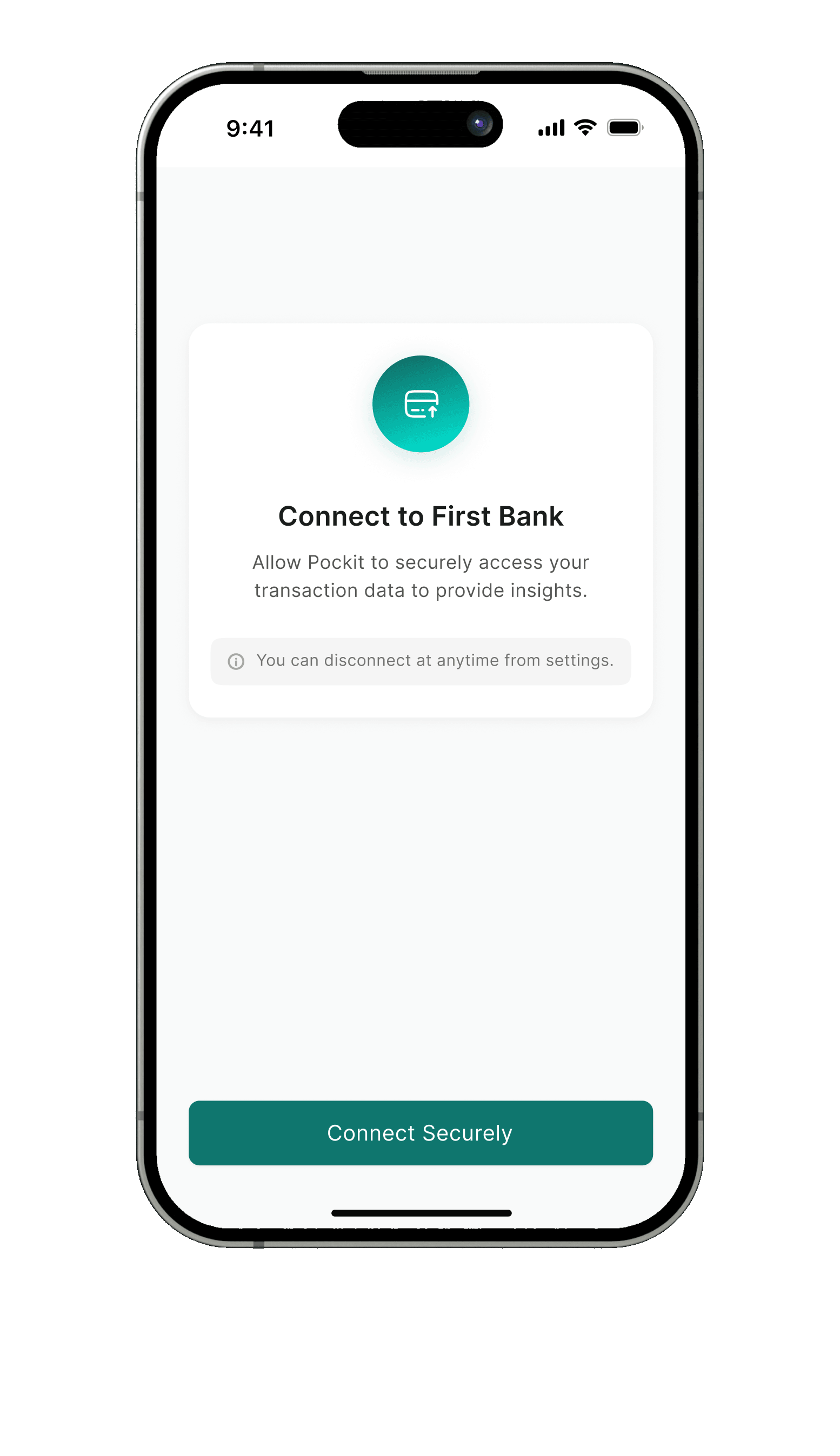
People like Temi forgot to log, so their budgets went stale within days. Linked accounts sort spending automatically, and voice covers cash.
Manual logging only
Full control and no bank data, but people forget, and a budget with gaps stops being useful.
Link a bank, log by voice when needed
Spending sorts itself into categories. Voice and manual logging cover cash and anything missed.
Constraint
Some people will not share bank data, so linking had to stay optional and explain itself before asking.
Trade-off
Linking adds steps to onboarding. I kept it skippable and put every reason on one screen.
Outcome
In testing, 4 of 5 people set up their first budget without help.
Final design
Onboarding
12 / 15
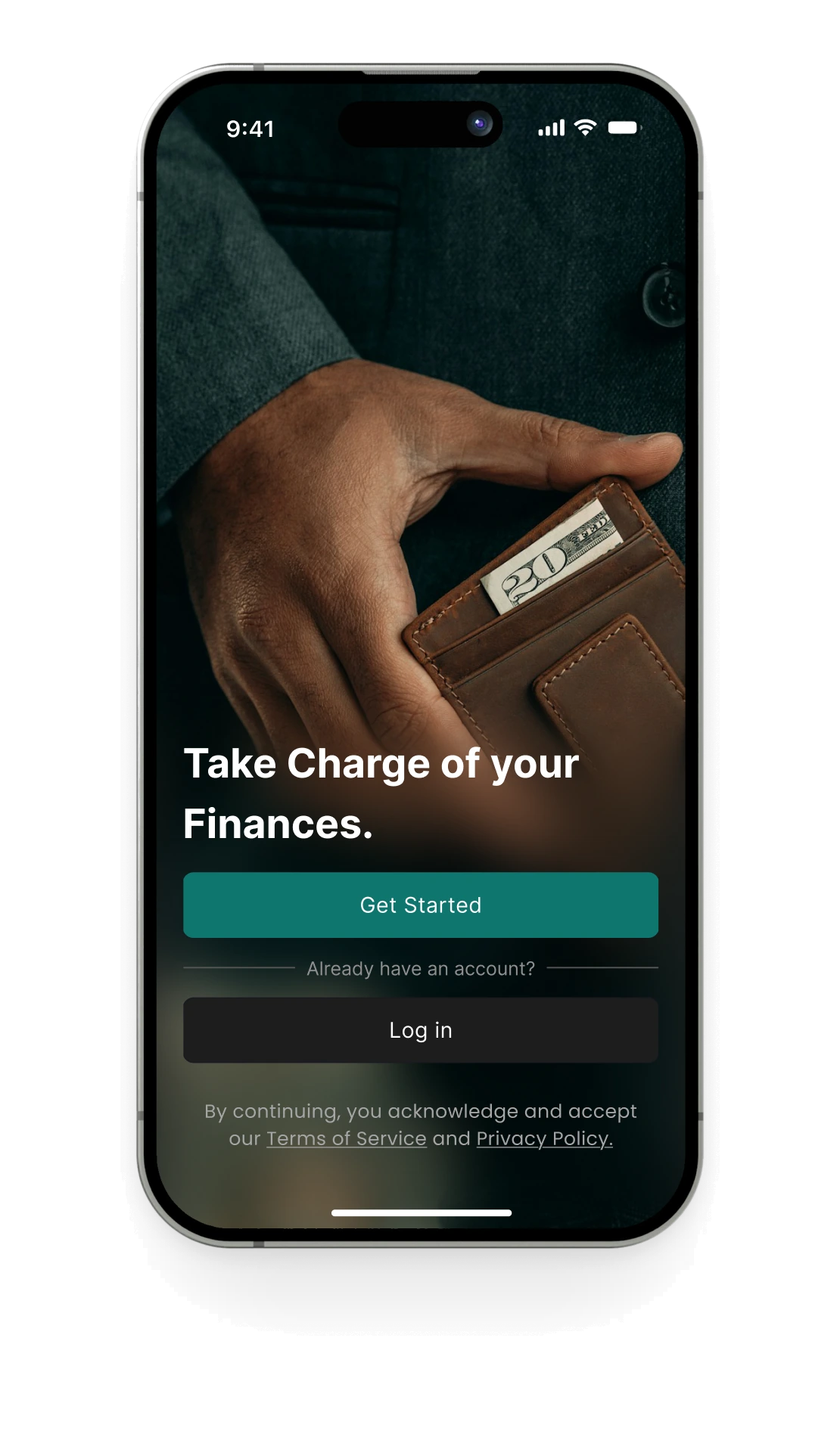
A calm startto your money.
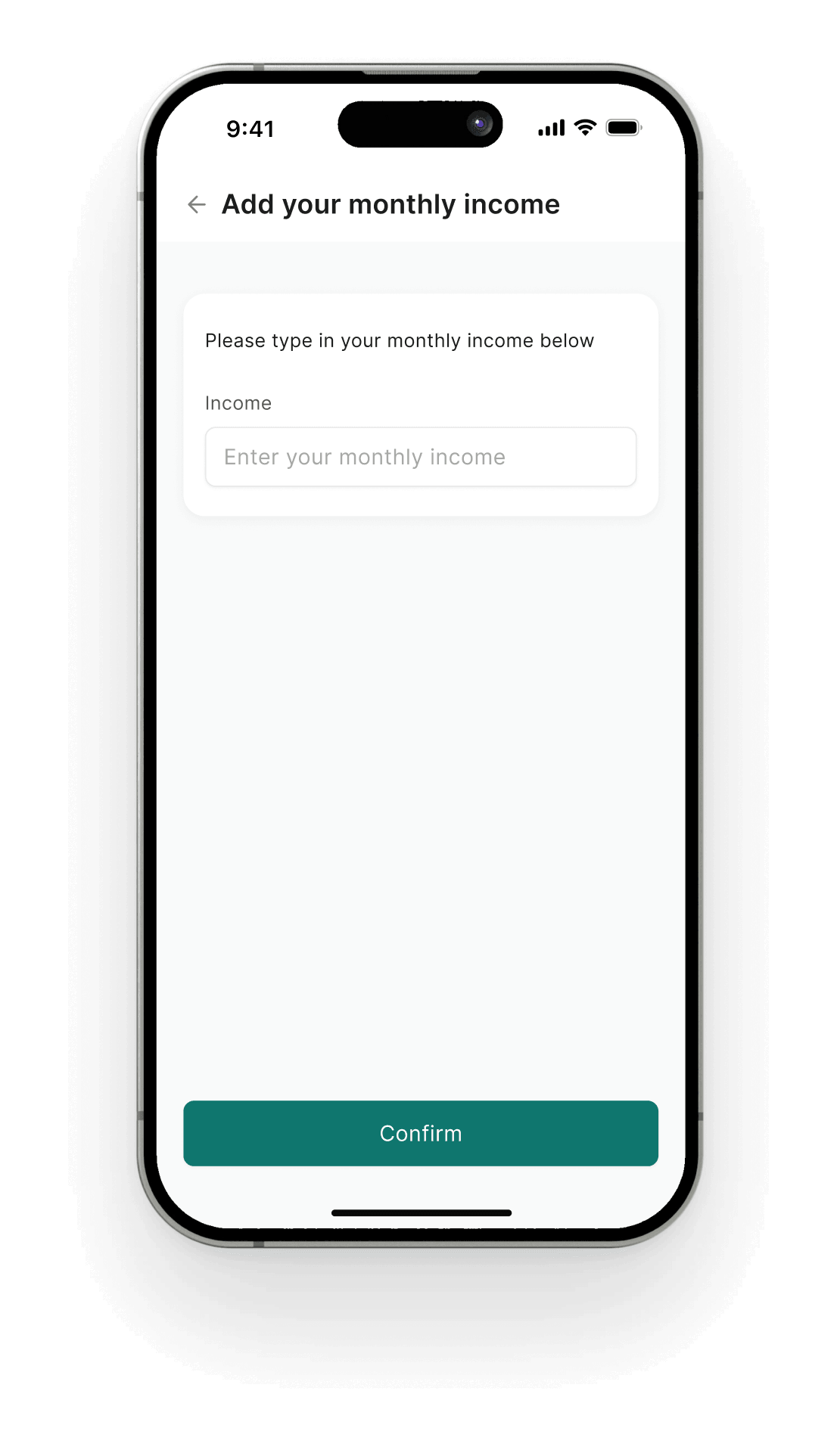
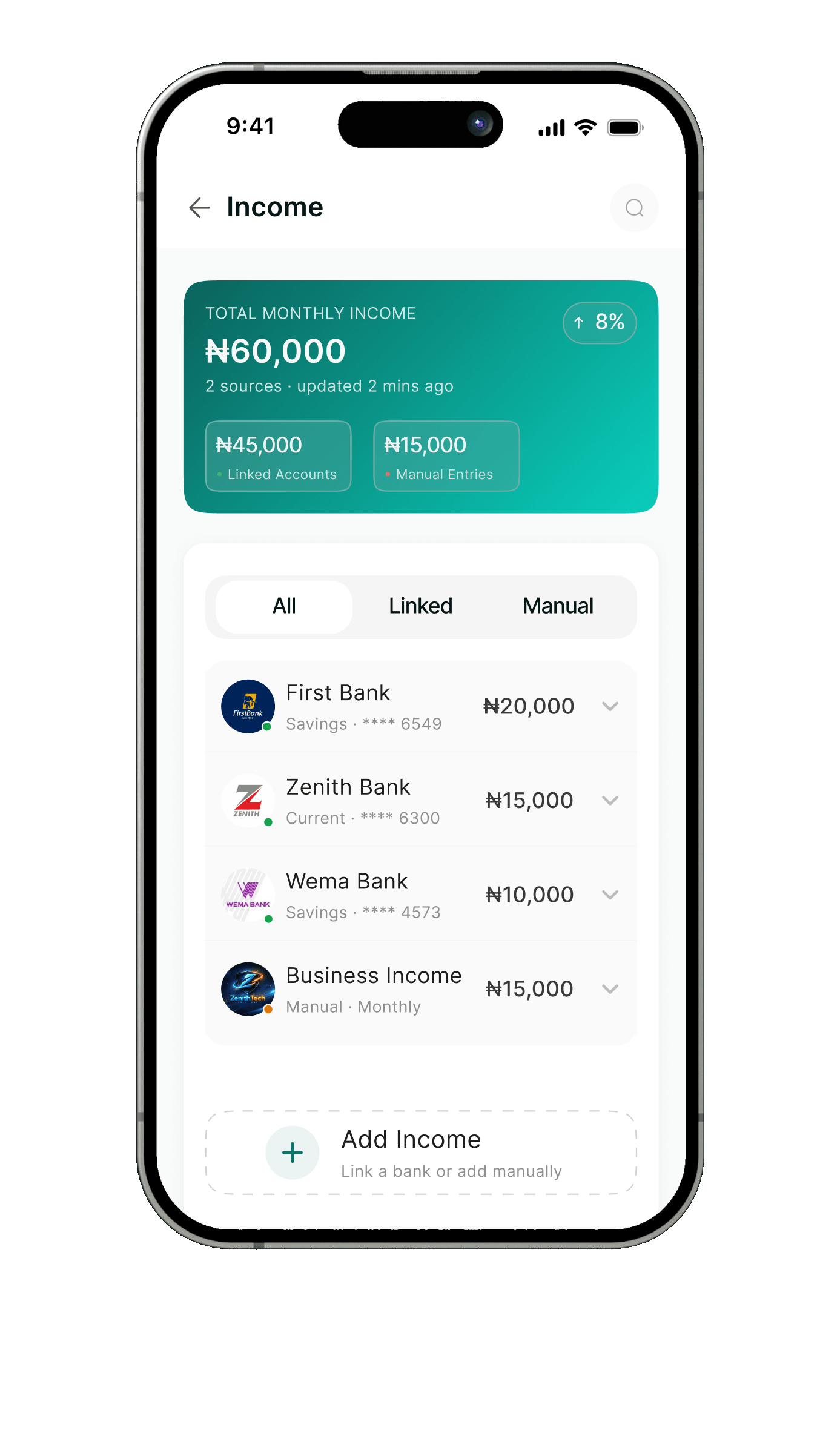
Sign up in a minute, add income, and link a bank only if you want to. Pockit then drafts a first budget to confirm.

Temi’s monthly income
₦60,000
Your first budget,drafted for you.
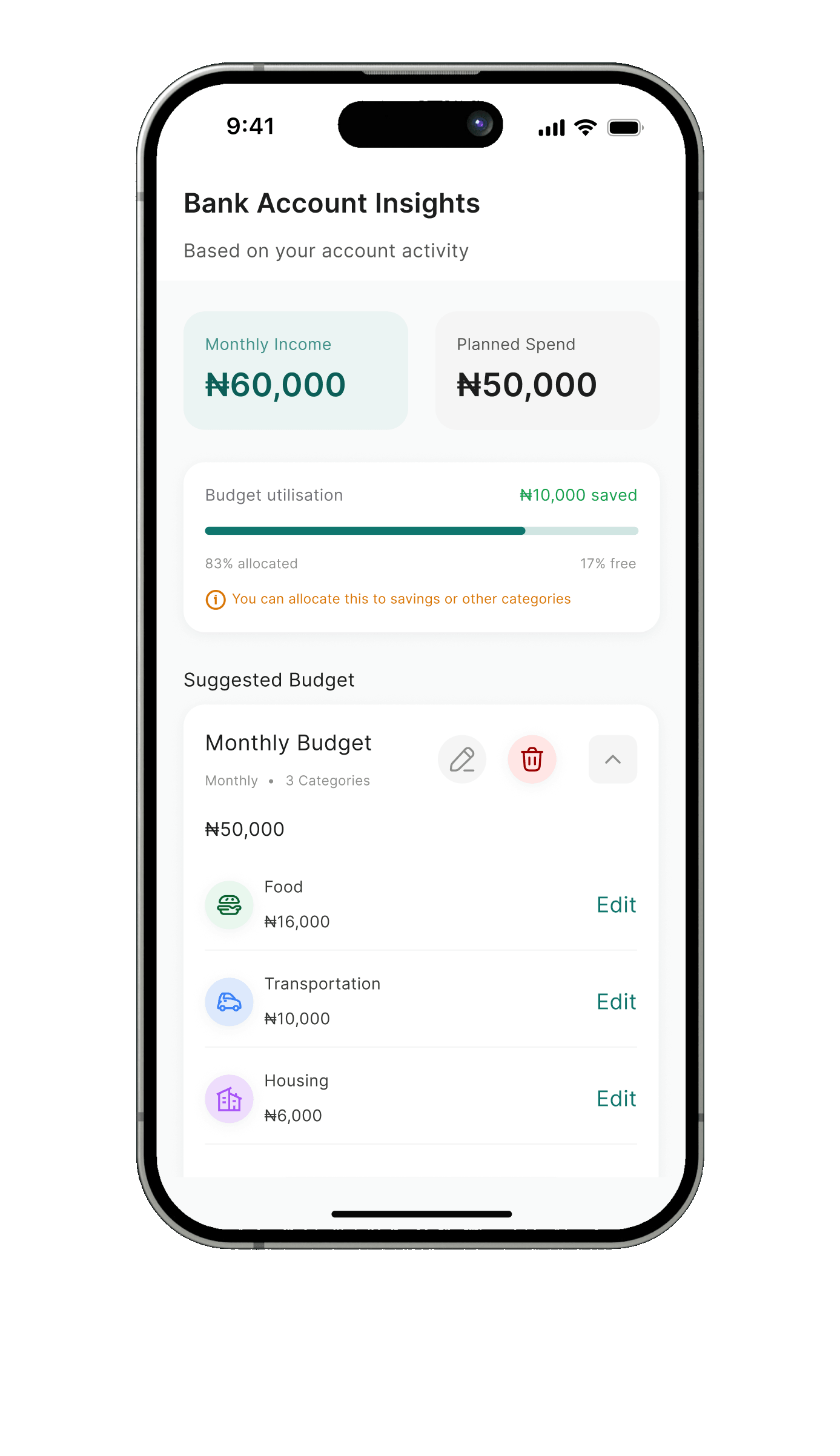
After linking, Pockit reads recent activity and suggests a monthly budget by category. Temi edits or confirms it in one step.
Final design
Home and budgets
13 / 15
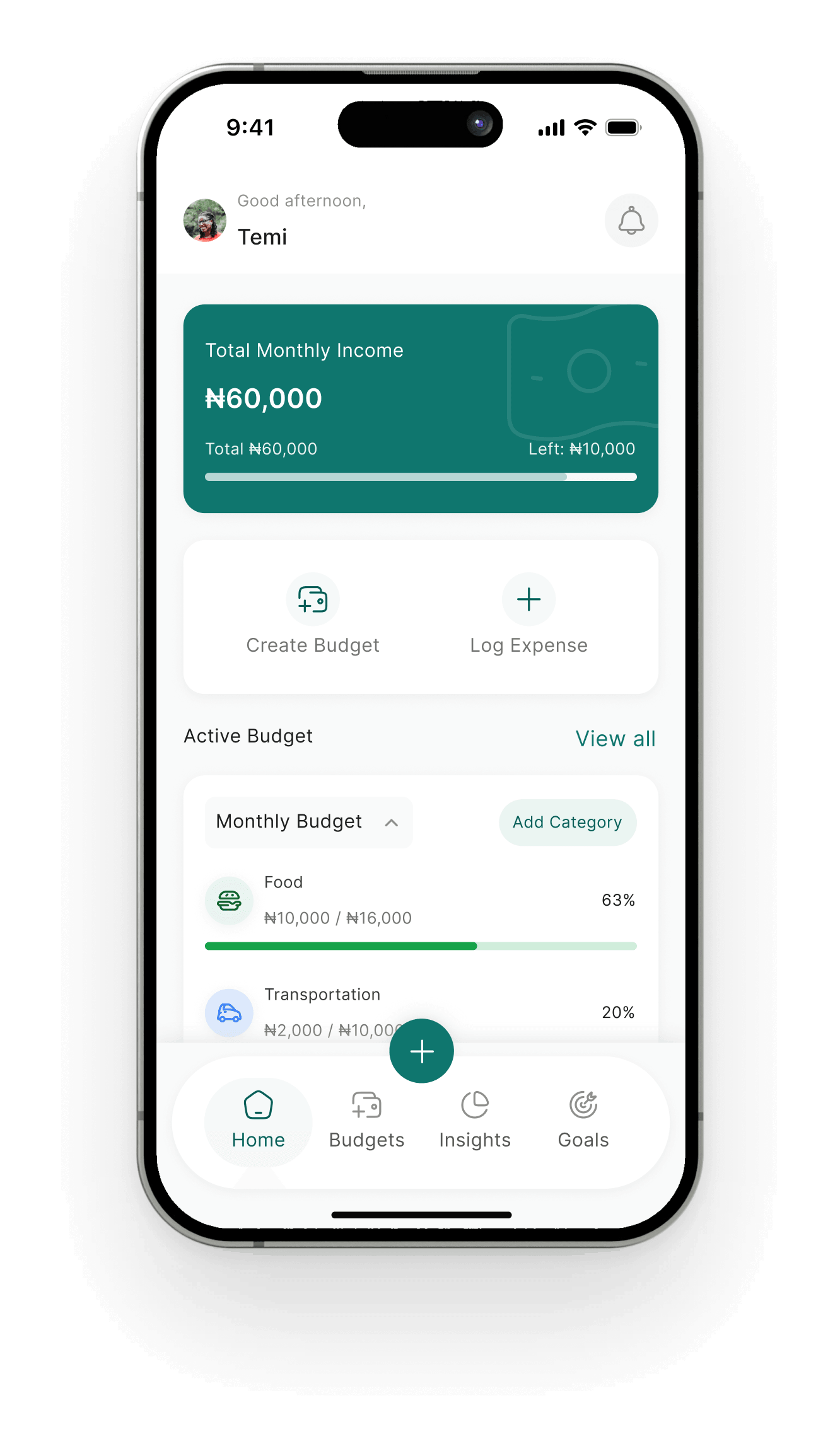
Every nairain view.
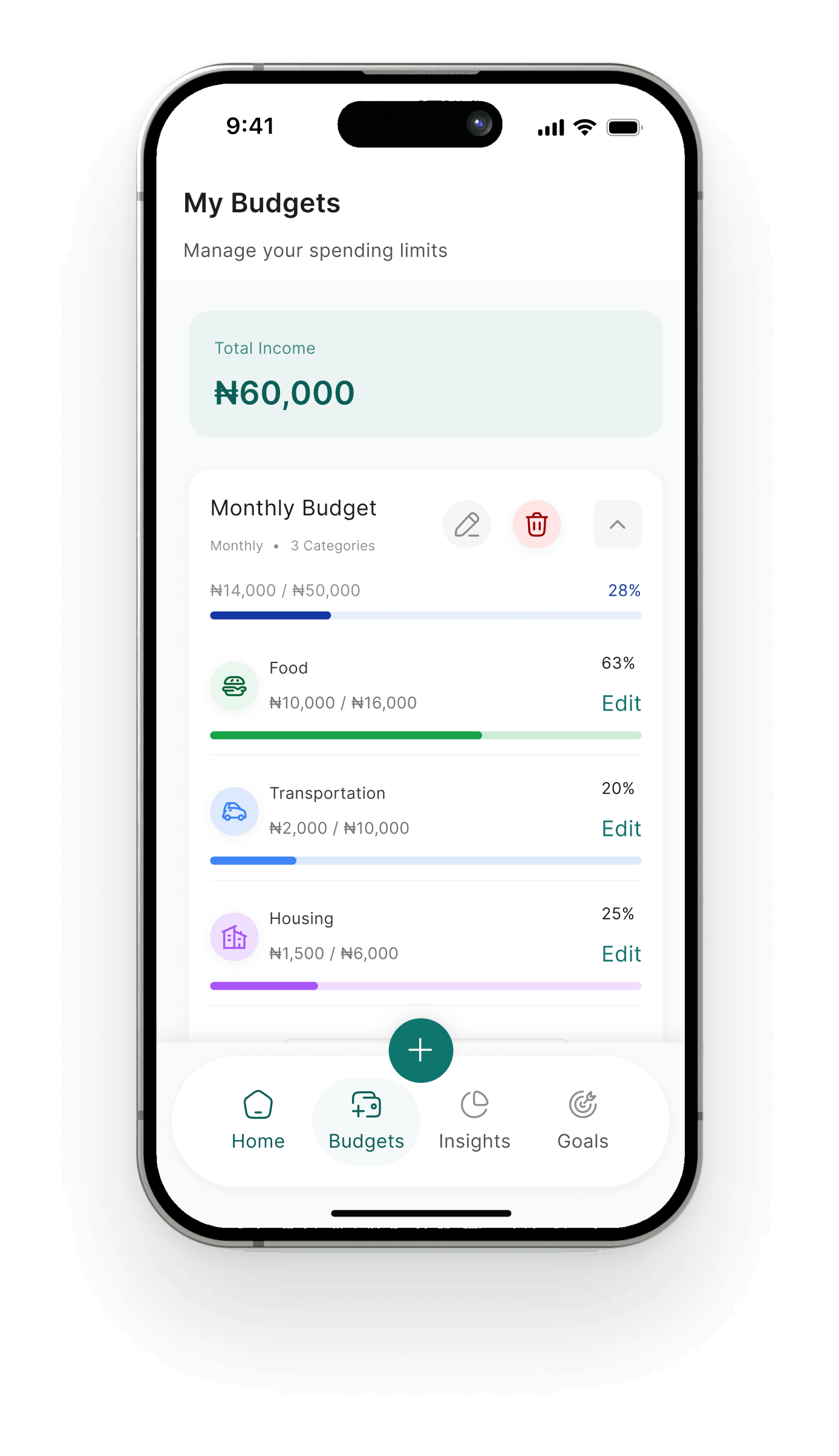
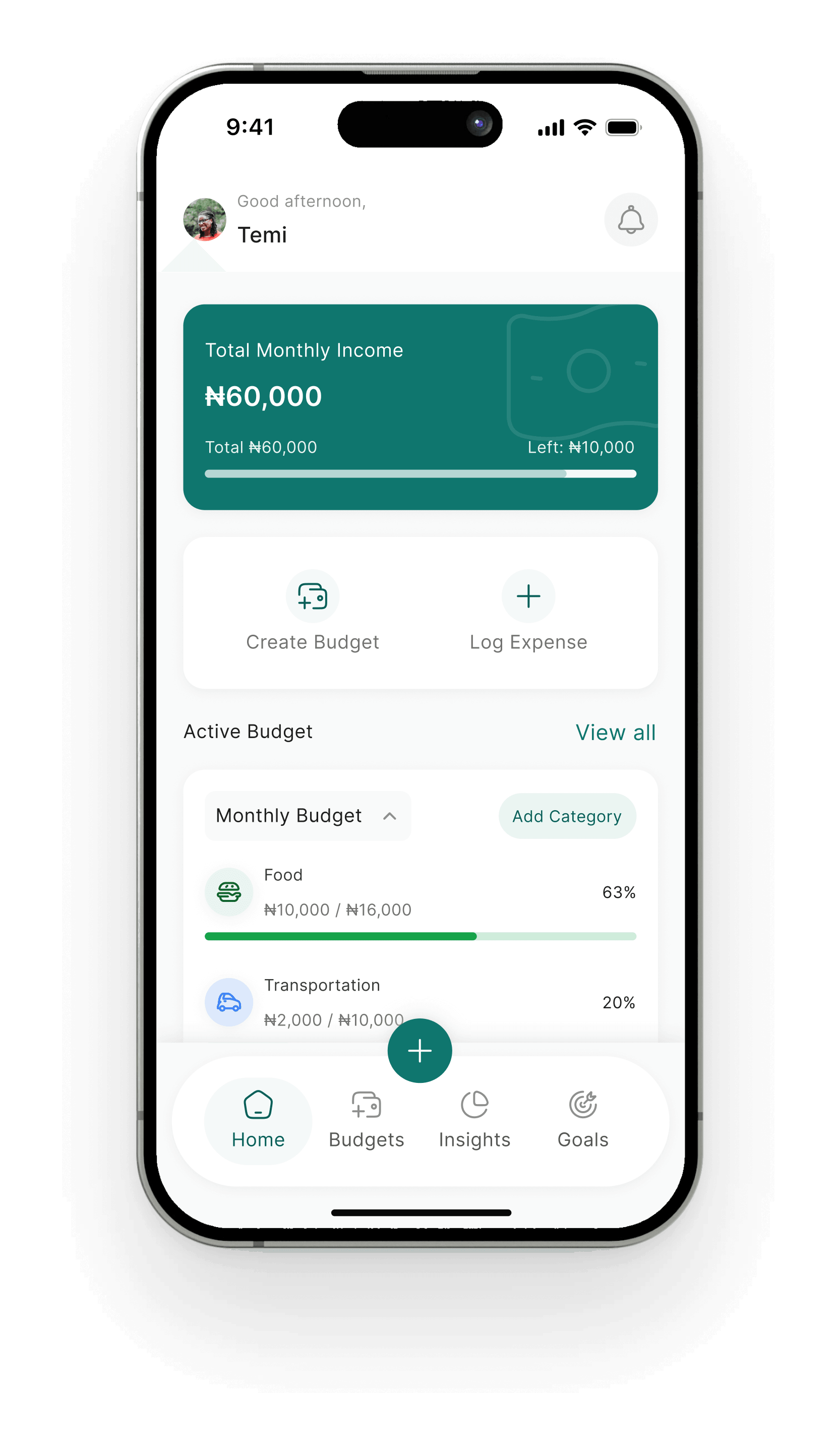
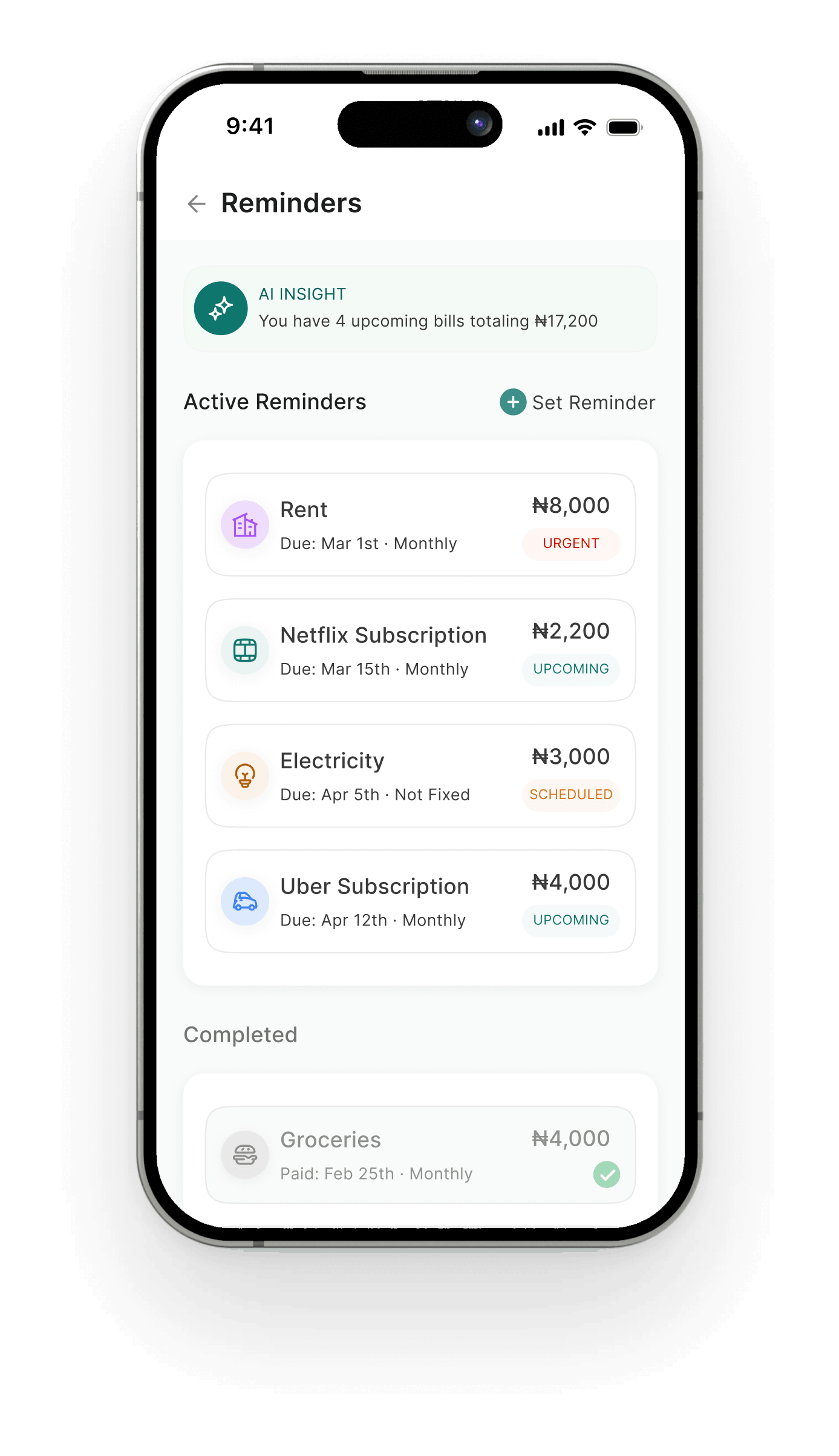
Home answers one question first: how much can Temi safely spend today? Budgets and reminders sit one tap away.
Safe to spend today
₦1,200
Food this month
₦10,000
63% of ₦16,000
Safe to spend today
₦1,200
Food this month
₦10,000
63% of ₦16,000
Budgets
Category limits with calm progress bars. Edit any limit in place.
Home
Income, active budgets, safe to spend and one weekly insight.
Reminders
Bills and subscriptions, with a nudge before each one is due.
Final design
AI coach and insights
14 / 15
A coachin your pocket.
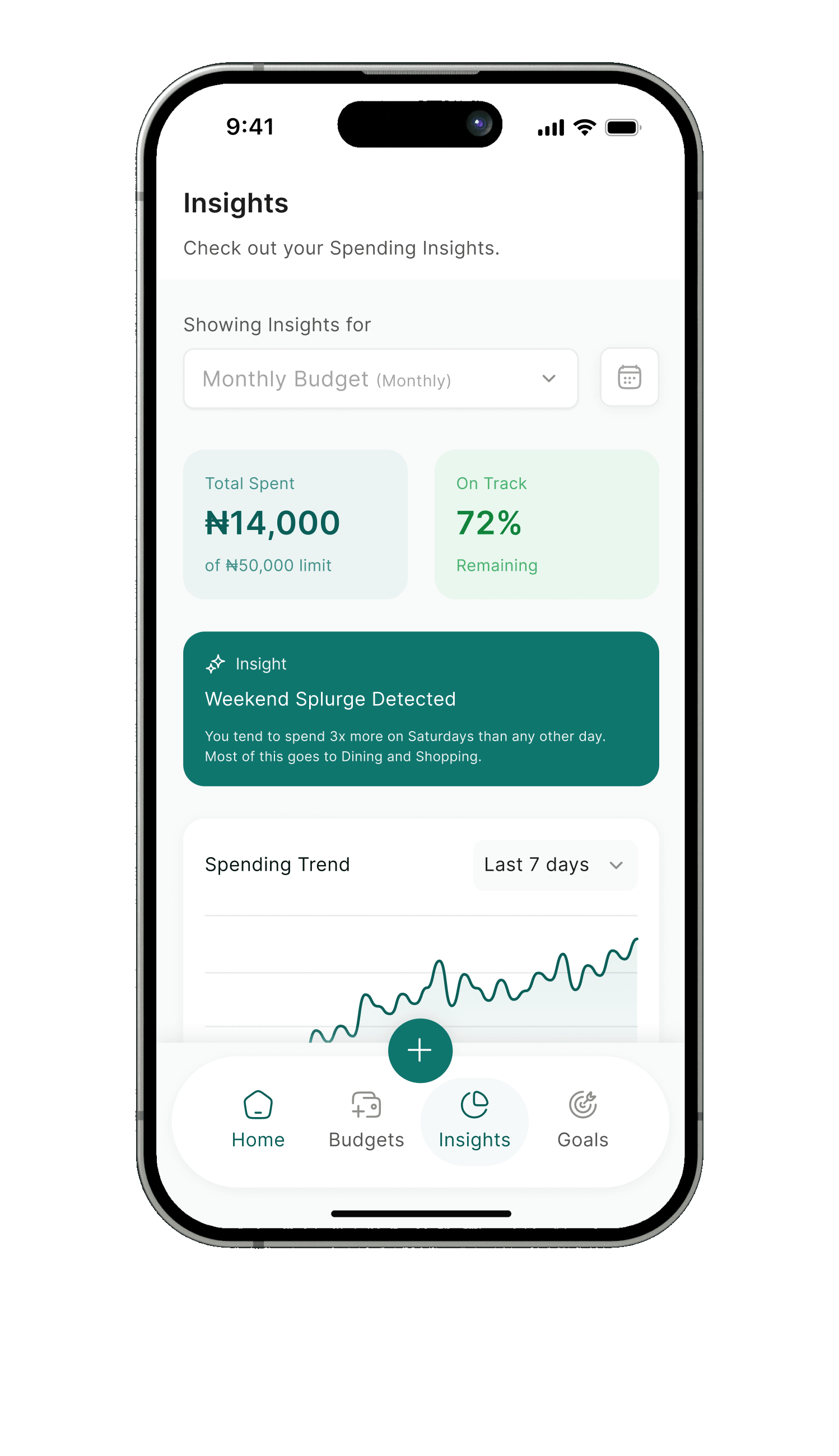
Log an expense by saying it. Ask what you can afford. Get weekly insights in plain words, each with a next step.
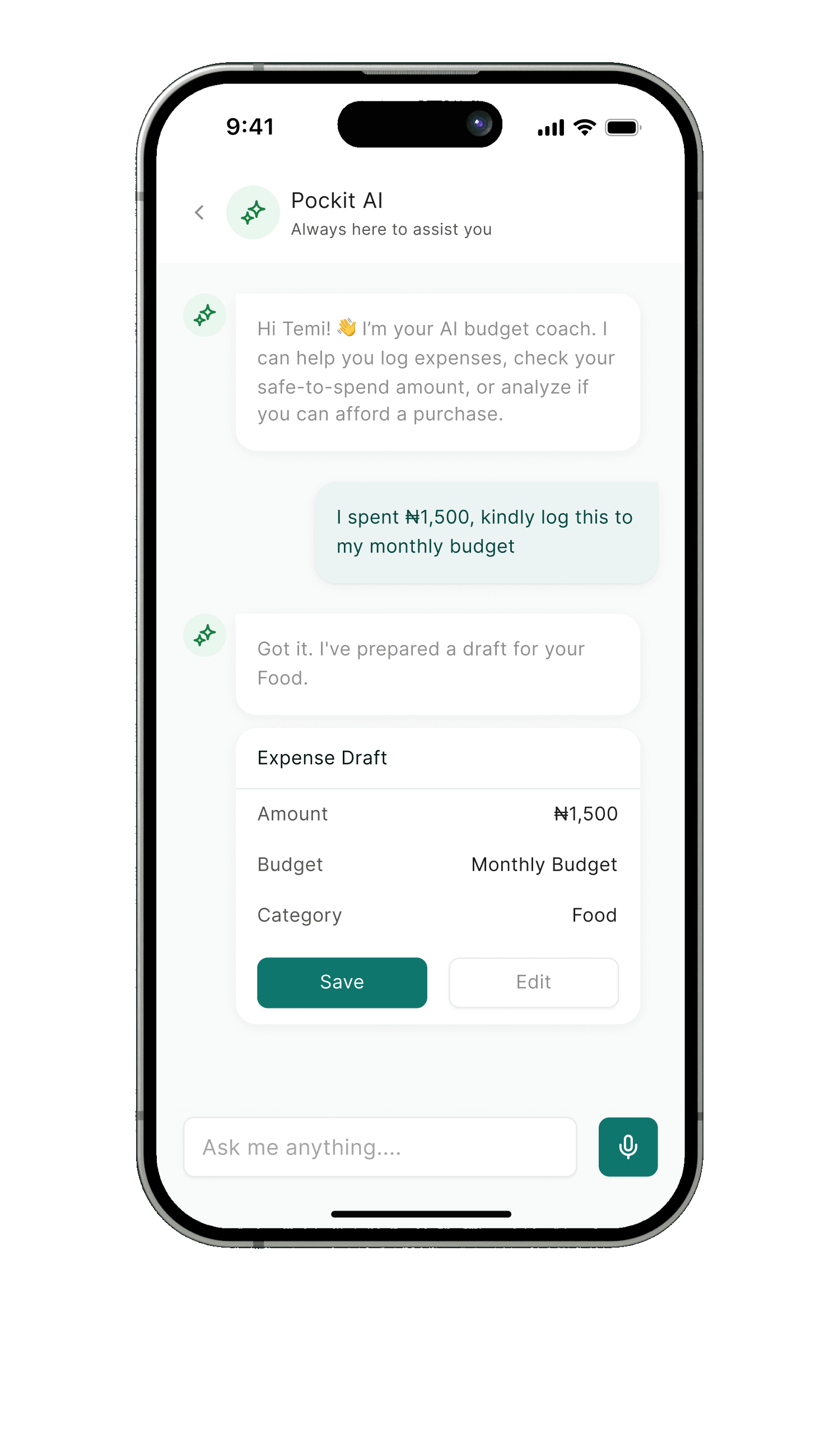
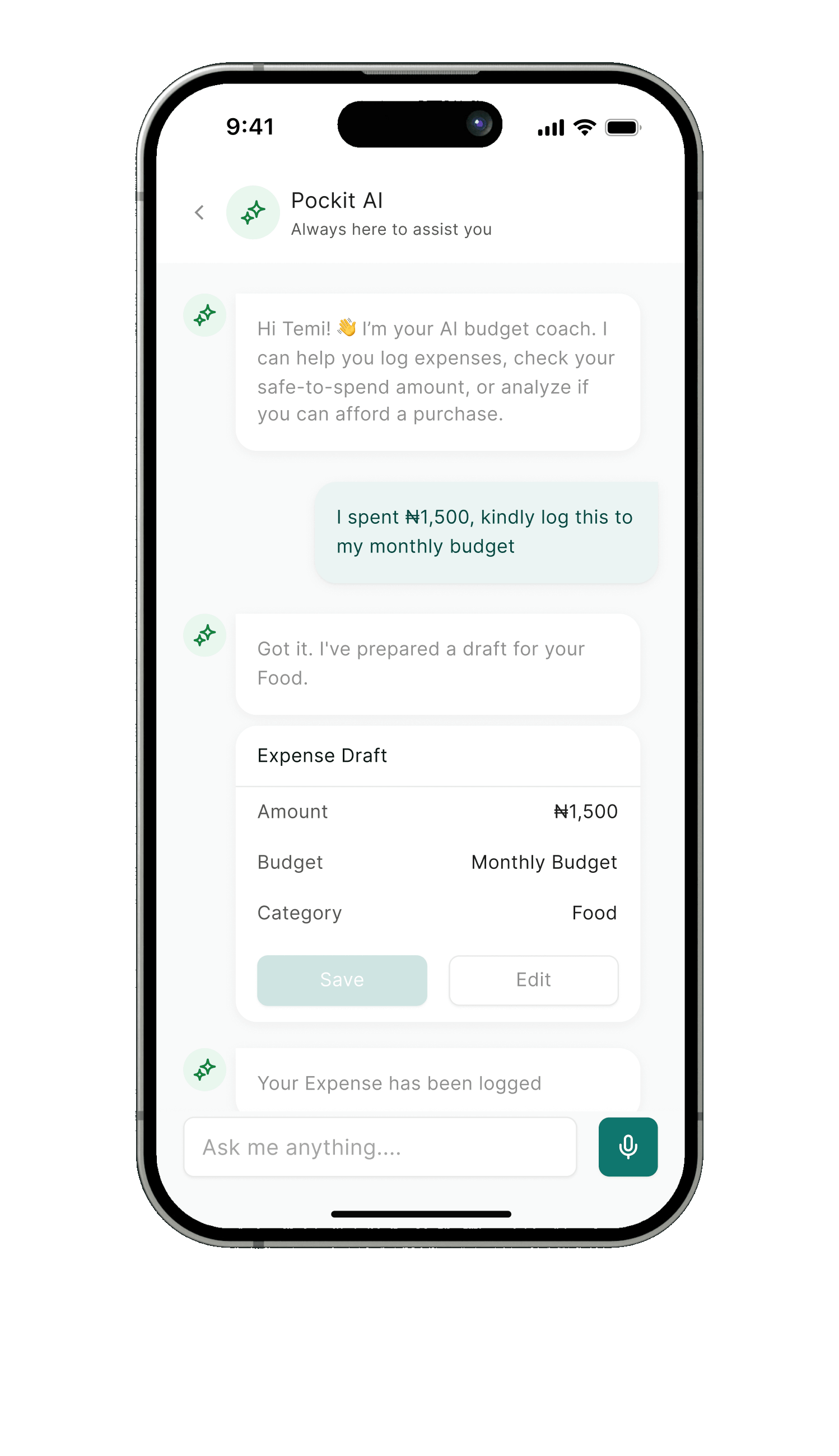
Voice logging
Speak naturally. The coach drafts the expense with amount, budget and category.
One-tap confirm
Nothing is saved until Temi confirms, so a misheard number never sneaks in.
Plain-language insights
Patterns come with a reason and a suggestion, never a red warning.
Testing and outcome
15 / 15
Designed to makemoney feel human.
I tested the prototype in 5 moderated sessions with students and young earners. These were the core tasks.
4 of 5
Set up a first budget
completed without help
4 of 5
Find today’s safe spend
completed without help
5 of 5
Log an expense by voice
completed without help
Two paths to a first budget
By hand
4 steps
With a bank
9 steps
What I learned
Guidance beats data
People did not need more charts. They needed one clear answer at the moment of spending.
Tone is a feature
Swapping red warnings for calm words changed how the whole product felt.
Next, I would test
Whether a weekly money check-in keeps people coming back after the first month.